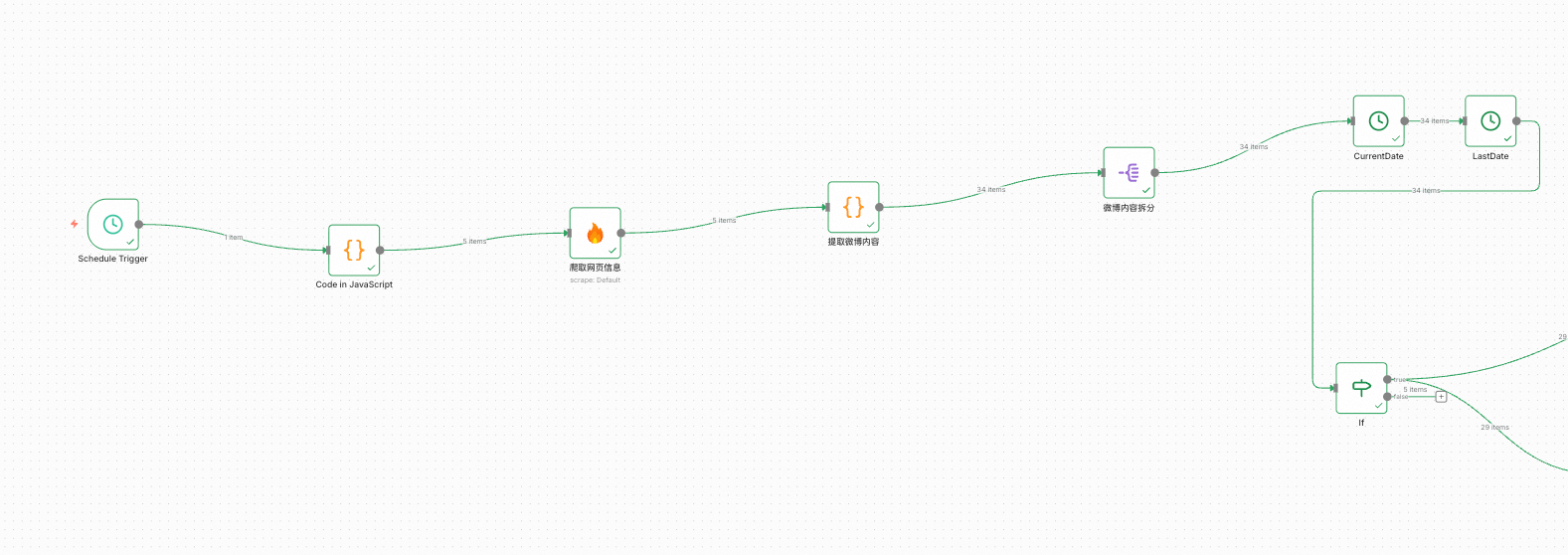
✅工作流实战:舆情分析助手——微博内容提取

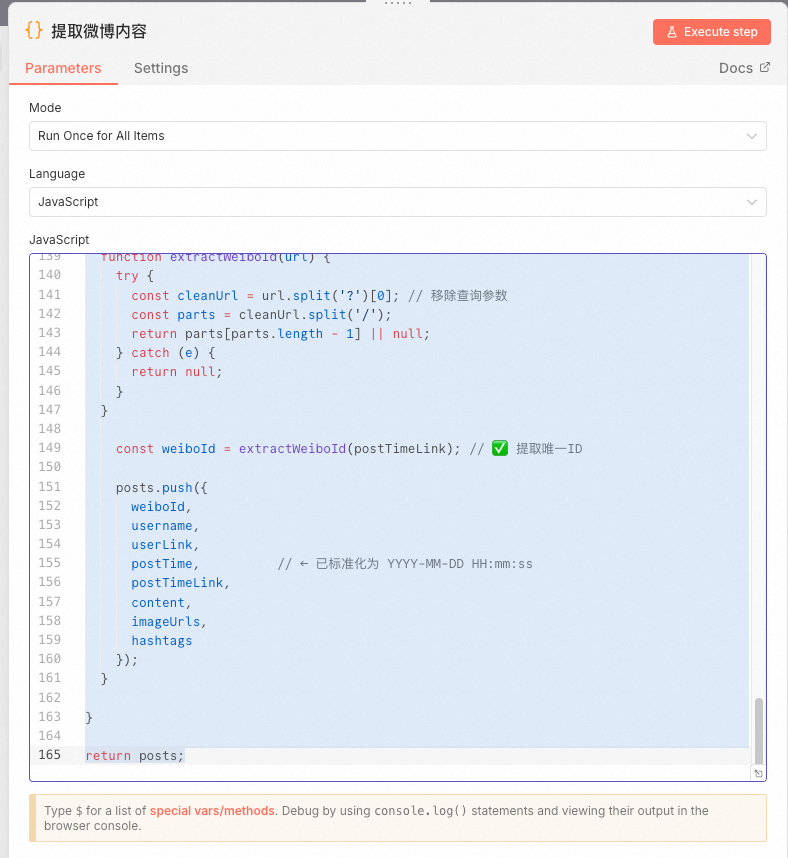
我们拿到前5页网页爬取后的结果之后,就需要把里面的微博内容解析出来,前面说过了,直接用他的json内置的prompt方式解析会出现丢数据的情况,于是我想到的是自己写代码解析,于是:
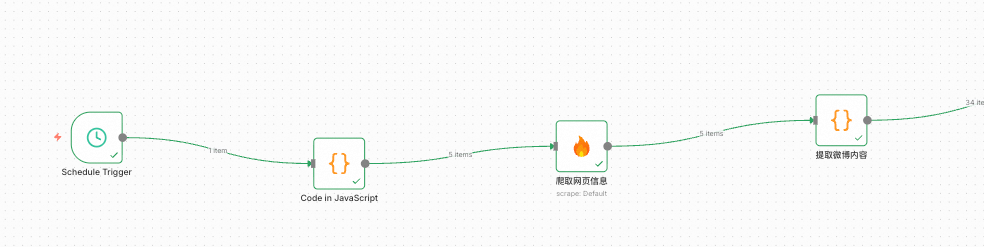


新建一个微博内容提取的code节点,其中的代码如下:

1
2
3
4
5
6
7
8
9
10
11
12
13
14
15
16
17
18
19
20
21
22
23
24
25
26
27
28
29
30
31
32
33
34
35
36
37
38
39
40
41
42
43
44
45
46
47
48
49
// Loop over input items and add a new field called 'myNewField' to the JSON of each one// 基准当前时间  const offsetHours = 8;   const now = new Date();  const utc = now.getTime() + (now.getTimezoneOffset() * 60000);  const NOW = new Date(utc + (offsetHours * 3600000));
function parseWeiboTime(raw) {
raw = raw.trim();
// 1. 已是标准格式:2023-10-23 21:48 if (/^\d{4}-\d{2}-\d{2}\s+\d{1,2}:\d{2}$/.test(raw)) { return raw + ':00'; }
// 2. X秒前 const secMatch = raw.match(/^(\d+)秒前$/); if (secMatch) { const secs = parseInt(secMatch[1], 10); const dt = new Date(NOW.getTime() - secs * 1000); return dt.toISOString().replace('T', ' ').substring(0, 19); }
// 3. X分钟前 const minMatch = raw.match(/^(\d+)分钟前$/); if (minMatch) { const mins = parseInt(minMatch[1], 10); const dt = new Date(NOW.getTime() - mins * 60 * 1000); return dt.toISOString().replace('T', ' ').substring(0, 19); }
// 4. X小时前 const hourMatch = raw.match(/^(\d+)小时前$/); if (hourMatch) { const hours = parseInt(hourMatch[1], 10); const dt = new Date(NOW.getTime() - hours * 60 * 60 * 1000); return dt.toISOString().replace('T', ' ').substring(0, 19); }
// 5. 今天HH:mm const todayMatch = raw.match(/^今天(\d{1,2}):(\d{2})$/); if (todayMatch) { const h = parseInt(todayMatch[1], 10); const m = parseInt(todayMatch[2], 10); const dt = new Date(NOW); dt.setHours(h + 8, m, 0, 0); return dt.toISOString().replace('T', ' ').substring(0, 19); }
// 6. MM月DD日 HH:mm const monthDayMatch = raw.match(/^(\d{1,2})月(\d{1,2})日\s+(\d{1,2}):(\d{2})$/); if (monthDayMatch) { const month = parseInt(monthDayMatch[1], 10) - 1; // JS 月份从 0 开始 const day = parseInt(monthDayMatch[2], 10); const h = parseInt(monthDayMatch[3], 10) + 8; const m = parseInt(monthDayMatch[4], 10);
let year = NOW.getFullYear(); const candidate = new Date(year, month, day, h, m, 0);
// 如果解析出的日期比 NOW 还晚(比如 12月2日 在 12月1日看就是未来),则减一年 if (candidate > NOW) { year -= 1; }
const dt = new Date(year, month, day, h, m, 0); const pad = n => n.to
String().padStart(2, '0');
return `${
dt.getFullYear()
}-${
pad(dt.getMonth() + 1)
}-${
pad(dt.getDate())
} ${
pad(dt.getHours())
}:${
pad(dt.getMinutes())
}:00`; }
// 5. 无法识别,返回原始 + 补00秒(保守处理) if (/^\d{4}-\d{2}-\d{2}\s+\d{1,2}:\d{2}:\d{2}$/.test(raw)) { return raw; } // 兜底:尝试直接补 :00 if (raw.includes(':') && !raw.includes(':00')) { return raw + ':00'; } return raw; // 保留原样 }const posts = [];
for (const item of $input.all()) {
// === 主提取逻辑 === const blocks = item.json.data.markdown.split(/\n-\s*转发\s*\n/); const inlineImageRegex = /\[\]\((https?:\/\/[^\s\)]+\.(?:jpg|jpeg|png|gif))\)/gi;
for (const block of blocks) {
const userPattern = /\[!\[.*?\]\((https?:\/\/[^\s\)]+)\)\]\((https?:\/\/[^\s\)]+)\)\s*\n\s*\[([^\]]+)\]\((https?:\/\/[^\s\)]+)\)(?:\s*\n\s*\[!\[.*?\]\(.*?\)\])?\s*\n\s*\[([^\]]+)\]\((https?:\/\/[^\s\)]+)\)/; const userMatch = block.match(userPattern);
if (!userMatch) continue;
const username = userMatch[3]; const userLink = userMatch[4]; const rawPostTime = userMatch[5]; const postTimeLink = userMatch[6];
// ✅ 标准化时间 const postTime = parseWeiboTime(rawPostTime);
let rawContent = block.slice(userMatch.index + userMatch[0].length).trim(); const cutOffIndex = rawContent.search(/\n-\s*(\[\]\(https?:\/\/.*?\.(?:jpg|png|g
if)\)|\d+|转发|评论|赞)/i);
if (cutOffIndex !== -1) {
rawContent = rawContent.slice(0, cutOffIndex).trim(); }
let content = rawContent .replace(/\[展开 _c_\]\([^)]*\)/g, '') .replace(/收起 _d_/g, '') .replace(/\s+/g, ' ') .trim();
content = content.replace(/^来自\s*\[[^\]]+\]\([^)]*\)\s*/, '').trim();
// 提取并移除内联图片 const inlineImages = []; let imgMatch; while ((imgMatch = inlineImageRegex.exec(content)) !== null) { inlineImages.push(imgMatch[1]); } content = content.replace(inlineImageRegex, '').replace(/\s+/g, ' ').trim();
// 提取列表图片 const listImages = []; const listImageRegex = /-\s*\[\]\((https?:\/\/[^\s\)]+\.(?:jpg|jpeg|png|gif))\)/gi; let listMatch; while ((listMatch = listImageRegex.exec(block)) !== null) { listImages.push(listMatch[1]); }
const imageUrls = [...new Set([...inlineImages, ...listImages])];
const hashtags = [...new Set( content.match(/#([^#\s]+)#?/g)?.map(tag => tag.replace(/^#|#$| $/g, '')) || [] )];
// ✅ 新增:从微博链接提取唯一ID function extractWeiboId(url) { try { const cleanUrl = url.split('?')[0]; // 移除查询参数 const parts = cleanUrl.split('/'); return parts[parts.length - 1] || null; } catch (e) { return null; } }
const weiboId = extractWeiboId(postTimeLink); // ✅ 提取唯一ID
posts.push({
weiboId, username, userLink, postTime, // ← 已标准化为 YYYY-MM-DD HH:mm:ss postTimeLink, content, imageUrls, hashtags }); }
}
return posts;

值得注意的是关于时间的处理,一方面是微博显示的时间有很多种,比如xx秒前,XX分钟前,今天xx:xx、xx月xx日 xx:xx等等,而且时区默认还不太对,所以我们大多数代码都在处理这个时间的问题。


关于时区,N8N默认是美国时区,我们可以在启动的时候指定时区:


TZ=Asia/Shanghai GENERIC_TIMEZONE=Asia/Shanghai npx n8n


经过这个节点处理字后,就是几个时间处理和判断的节点,主要是做了些限制:只爬取24小时内的数据。这个不展开说了,大家到时候把我的配置导入n8n查看下就行了。