
08-12 神奇的 context-path
✅神奇的 context-path
相信大家肯定都在 Spring Boot 项目中配置过 server.servlet.context-path,这在微服务或多模块 Web 应用中非常常见,用于给每个服务分配独立的路由前缀。
然而,对于 MCP 的 SSE 机制来说,这个看似普通的 context-path,却可能成为让系统无法通信的关键因素。很多人可能会以为,只要 SSE endpoint 和 message endpoint 配置正确,系统就能正常运行,其实这并不完全。
我将在这里结合自己的亲身经历,为大家讲解这个非常奇怪的问题。尤其是在 MCP Server 与 Client 版本混用的情况下,这个 context-path 很容易让你掉进兼容性的深坑里。
官方issue:
https://github.com/spring-projects/spring-ai/issues/4168
https://github.com/spring-projects/spring-ai/issues/2512
Streamable HTTP
MCP Server
我们以之前的 Streambale HTTP 的 MCP Server为例,增加 context-path 属性:
1 | server: |
那这时候,我们访问的地址应该就变成了:http://127.0.0.1:8004/stream/test/api/mcp
我们调用一下postman看下是否通:
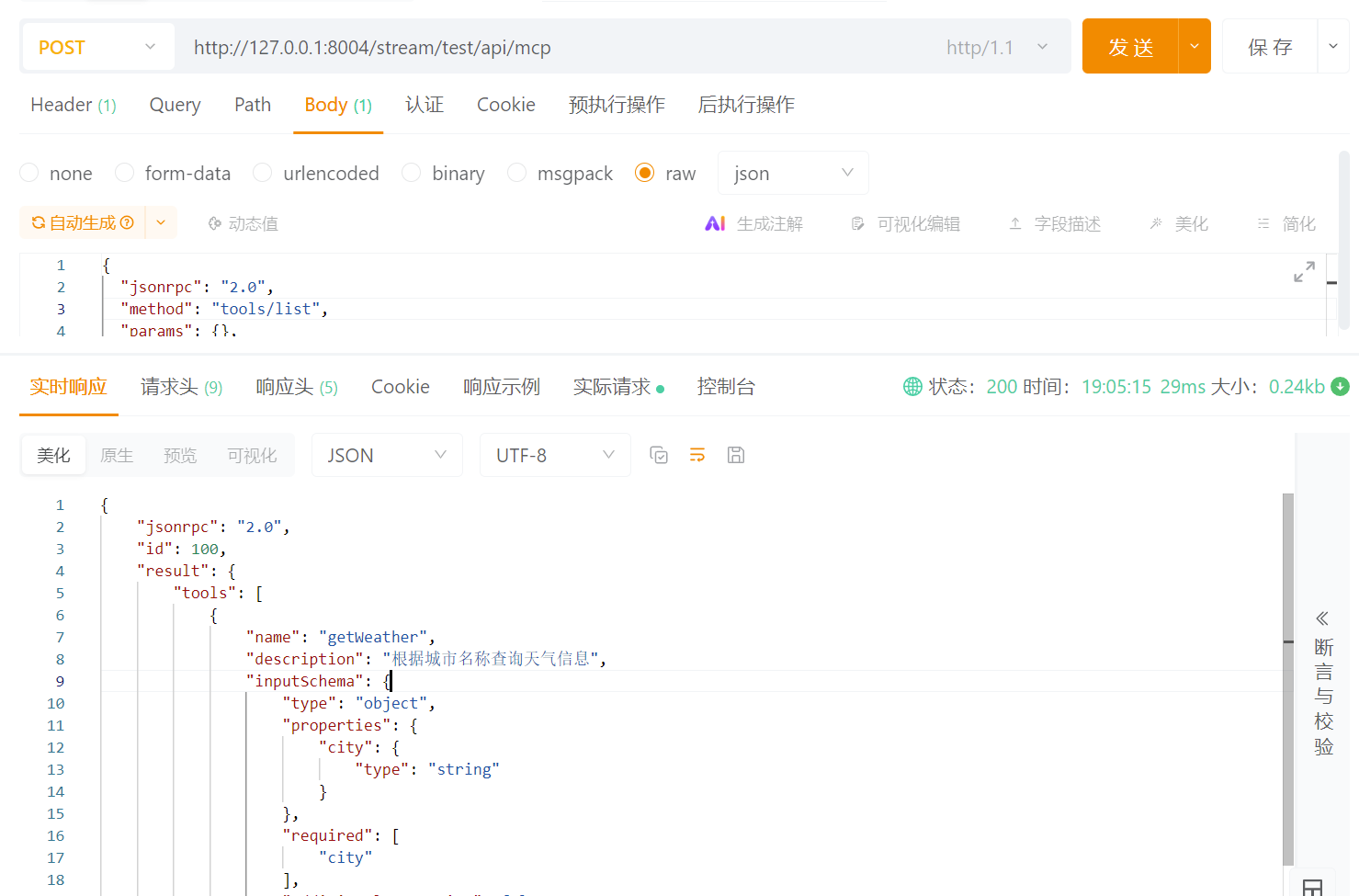
没错,是不是很简单就搞定了。接下来我们看下MCP Client应该如何来连接。
MCP Client
下面这部分代码是之前没有 context-path 的连接代码:
1 | HttpClientStreamableHttpTransport streamableTransport = HttpClientStreamableHttpTransport.builder("http://127.0.0.1:8004").endpo |
那现在多了一个 context-path,我们是不是可以直接将 baseuri 改一下就可以了:
1 | HttpClientStreamableHttpTransport streamableTransport = HttpClientStreamableHttpTransport.builder("http://127.0.0.1:8004/stream/test").endpo |
看着很ok对吧,但是你可以试一下这个会报错 404:
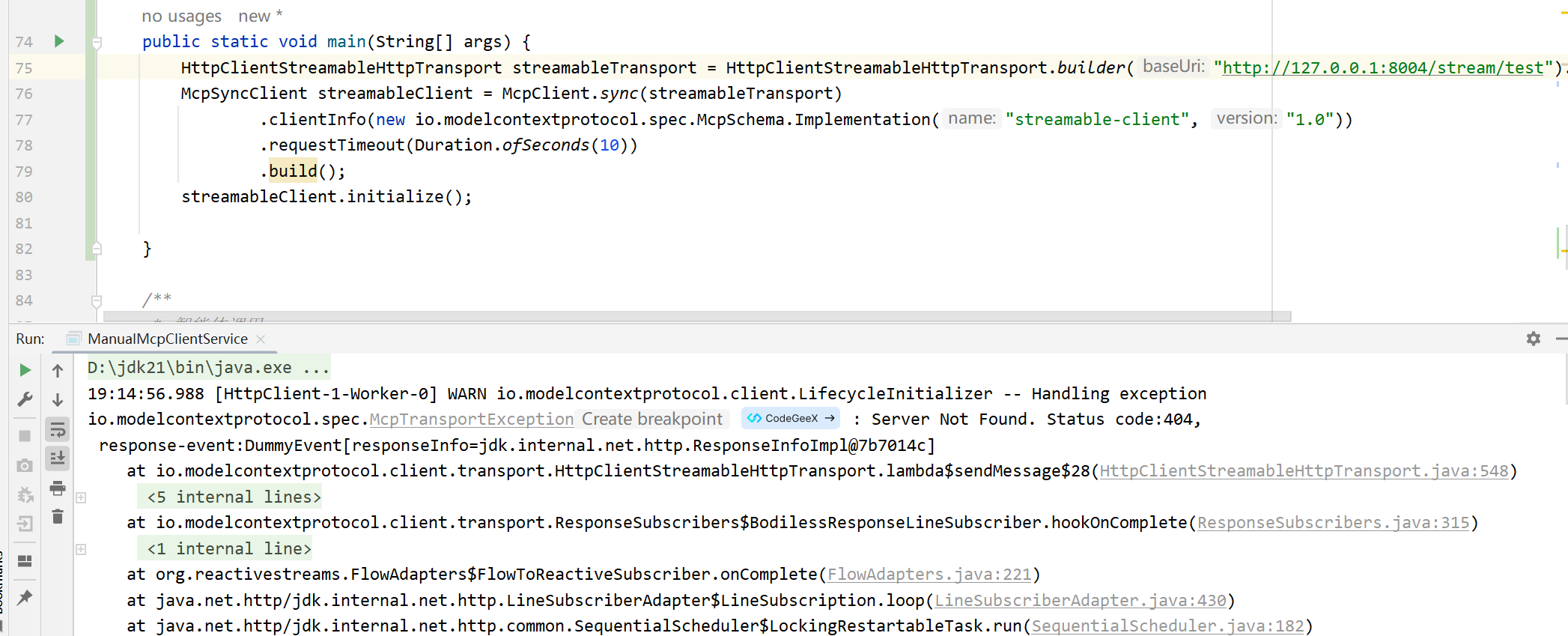
这是因为啥呢?我们接下来看下源码。
源码实现
HttpClientStreamableHttpTransport 中在解析 uri 和 endpoint 的时候,使用了这个工具类。
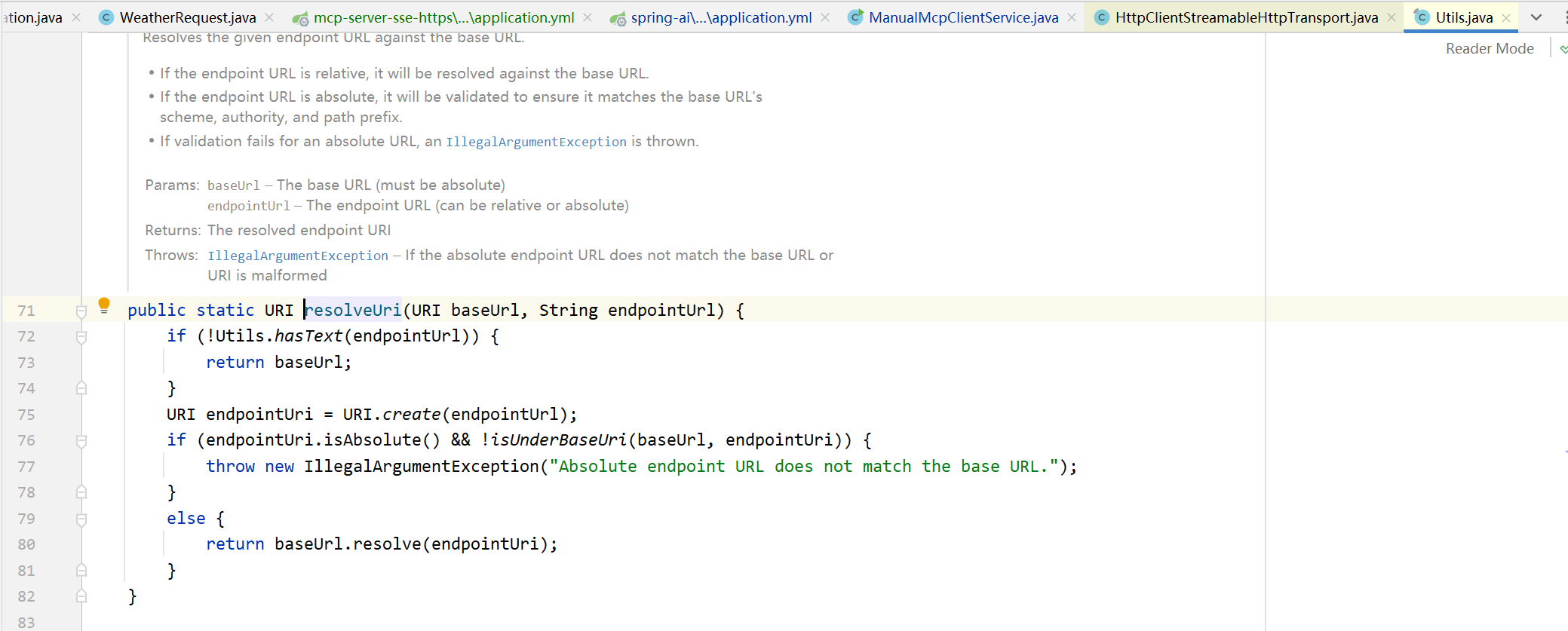
这段代码就是 MCP Server 连接不通 的根源:
如果 endpoint 以
**/**开头,baseUrl.resolve("/xxx")会把baseUrl的 path 覆盖掉(得到http://host/xxx),也就是抹掉 context-path。如果 endpoint 不以
**/**开头,解析会把它当作相对路径附加到baseUrl的路径上。
举例说明
情况 A
正确(期望结果):
1 | baseUrl = http://127.0.0.1:8004/stream/test/ // 注意:以 '/' 结尾endpoint = api/mcp // 无前导 '/' |
解析后(期望):
1 | http://127.0.0.1:8004/stream/test/api/mcp |
情况 B
常见错误 1(漏写尾斜杠):
1 | baseUrl = http://127.0.0.1:8004/stream/test // 无尾 '/'endpoint = api/mcp |
解析后(会替换最后一段):
1 | http://127.0.0.1:8004/stream/api/mcp // 不是你想要的 /stream/test/api/mcp,导致 404 |
情况 C
常见错误 2(endpoint 以 ‘/‘ 开头):
1 | baseUrl = http://127.0.0.1:8004/stream/test/endpoint = /api/mcp |
解析后(覆盖 path):
1 | http://127.0.0.1:8004/api/mcp // context-path 被抹掉,导致 404 |
那么,正确的设置是什么?
baseUrl 以 **/** 结尾 + endpoint 不以 **/** 开头(推荐写法)
1 | HttpClientStreamableHttpTransport transport = HttpClientStreamableHttpTransport.builder("http://127.0.0.1:8004/stream/test/") // 注意尾斜杠 .endpoint("api/mcp") // 注意:没有前导 '/' .build(); |
(PS:当然你也可以endpoint暴力设置绝对路径,但是不推荐,这样逻辑是混乱的,违背了URI的拼接逻辑,baseuri仅剩schame和ip地址的校验作用)
虽然也可以通,但是不推荐的写法!!!
1 | HttpClientStreamableHttpTransport transport = HttpClientStreamableHttpTransport.builder("http://127.0.0.1:8004") .endpo |
SSE
MCP Server
这边我们再顺带介绍一下 SSE的配置。
同样,我们还是先修改mcp server的配置,增加 context-path,并且增加另一个重要的参数:base-url
1 | server: |
修改完后,我们浏览器直接访问一下SSE的监听地址:
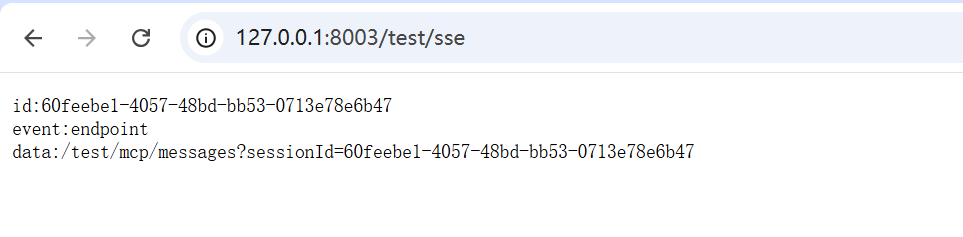
我们关注它返回的data,也就是message的端点,前面也同样多了一个前缀根路径:/test。
这是一个新版本相比于旧版本的不同点,旧版本中(如Spring AI 1.0.0-M7),返回的data是不带有这个前缀的,框架默认去发消息的时候会添加这个前缀,但是新版本(Spring AI 1.1.0)的处理方式完全变了,这就导致,假如你是用的旧版本做MCP Server,并且用新版本的MCP Client来连接,就会导致连接不通,这就是所谓的兼容性问题。
MCP Client
与Streamable的规则一致,client也需要做如下的配置即可。还是斜杠的问题,多一个斜杠少一个斜杠,都会导致连接报错404,只要按照我们上面介绍的原则来配置就可以了。
1 | HttpClientSseClientTransport transport = HttpClientSseClientTransport.builder("http://127.0.0.1:8003/test/").sseEndpo |
总之,如果可以的话,尽量不要为 MCP Server 配置 context-path,因为无论是 Streamable 还是 SSE,都对路径的精确匹配高度敏感,一旦存在多余的前缀就会导致客户端无法连接、消息端点错位、版本兼容性混乱等问题。如果确实必须使用 context-path,请严格按照我之前提供的推荐方式配置,并且需要保证客户端与服务端框架版本的一致性(Spring AI 新旧版本SSE 不兼容的问题,同样也是因为对context-path的解析方式的问题)、路径规范保持统一。这样才能避免在实际生产中遇到连接失败、协议不兼容等隐蔽且难排查的问题。