一、前期准备
一个邮箱,并且开通了SMTP服务
参考:邮箱如何开启POP3/SMTP服务
二、相关依赖
项目依托于springboot,部分依赖不作声明
1
2
3
4
5
6
7
8
9
10
11
12
13
14
15
16
17
18
19
20
21
22
23
24
25
26
|
<dependency>
<groupId>org.springframework.boot</groupId>
<artifactId>
spring-boot-starter-data-redis
</artifactId>
</dependency>
<dependency>
<groupId>org.apache.commons</groupId>
<artifactId>commons-pool2</artifactId>
<version>2.6.0</version>
</dependency>
<dependency>
<groupId>org.springframework.boot</groupId>
<artifactId>
spring-boot-starter-web
</artifactId>
<scope>provided</scope>
</dependency>
<dependency>
<groupId>org.springframework.boot</groupId>
<artifactId>spring-boot-starter-mail</artifactId>
</dependency>
|
三、配置文件
此处只给出相关的部分
1
2
3
4
5
6
7
8
9
10
11
12
13
14
15
16
17
18
19
20
21
22
|
spring.mail.host = smtp.126.com
spring.mail.username = 你的邮箱地址
spring.mail.password =授权码
spring.mail.properties.mail.smtp.ssl.enable=true
spring.mail.default-encoding=UTF-8
spring.redis.host=主机
spring.redis.port=端口号
spring.redis.database=你的redis仓库号(一般就0)
spring.redis.timeout=1800000
spring.redis.lettuce.pool.max-active=20
spring.redis.lettuce.pool.max-wait=-1
spring.redis.lettuce.pool.max-idle=5
spring.redis.lettuce.pool.min-idle=0
|
四、Service层
接口省略
1
2
3
4
5
6
7
8
9
10
11
12
13
14
15
16
17
18
19
20
21
22
23
24
25
26
27
28
29
30
31
32
33
34
35
36
37
|
@Service
public class MsmServiceImpl implements MsmService {
@Autowired
private JavaMailSender mailSender;
@Value("${spring.mail.username}")
private String from;
@Override
public String sendMineMail(String email) {
try {
SimpleMailMessage mailMessage = new SimpleMailMessage();
mailMessage.setSubject("测试邮箱验证码");
String code = RandomCodeUtils.get6BitRandom();
mailMessage.setText("您收到的验证码是:"+code);
mailMessage.setFrom(from);
mailMessage.setTo(email);
mailSender.send(mailMessage);
return code;
} catch (MailException e) {
e.printStackTrace();
return "";
}
}
}
|
五、Controller层
1
2
3
4
5
6
7
8
9
10
11
12
13
14
15
16
17
18
19
20
21
22
23
24
25
26
27
28
29
30
31
32
33
34
35
36
37
38
|
@Api(description = "发送邮件")
@RestController
@RequestMapping("/api/msm")
public class MsmApiController {
@Autowired
private MsmService msmService;
@Autowired
private RedisTemplate<String, String> redisTemplate;
@ApiOperation("发送邮件")
@GetMapping("/send/{email}")
public R code(
@ApiParam(name = "email", value = "邮箱", required = true)
@PathVariable String email
){
String code = redisTemplate.opsForValue().get(email);
if (!StringUtils.isEmpty(code)){
return R.ok().message("邮件已经发送过了,请稍后再试!");
}
String codeResult = msmService.sendMineMail(email);
if (!StringUtils.isEmpty(codeResult)){
redisTemplate.opsForValue().set(email,codeResult,5, TimeUnit.MINUTES);
return R.ok();
}
return R.error();
}
}
|
七、测试
启动项目,浏览器访问路径(注意加上邮箱参数)即可测试
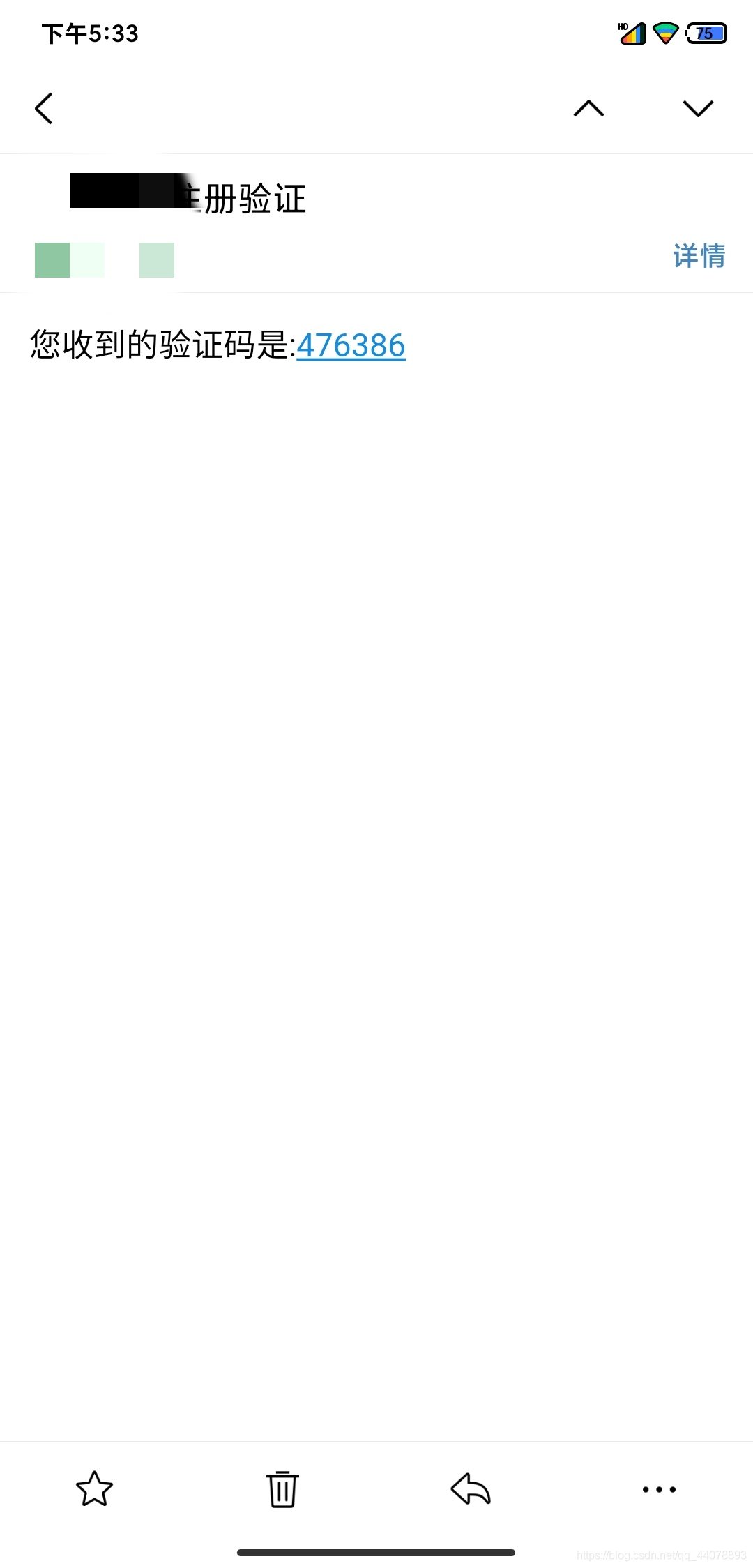
补上工具类:
1
2
3
4
5
6
7
8
9
10
11
12
13
14
15
16
17
18
19
20
21
22
23
24
25
|
public class RandomCodeUtils {
public static String get4BitRandom(){
return String.valueOf((new Random().nextDouble())).substring(2,6);
}
public static String get6BitRandom(){
return String.valueOf((new Random().nextDouble())).substring(2,8);
}
}
|